The white LED light of my Philips Stand Steamer is blinking
Published on 10 August 2023
If the white LED Light of your Philips Stand Steamer is blinking, you can find some possible causes and solutions below.
The stand steamer has gone into auto-off mode
The product will go into the auto-off mode (LED starts blinking) when:
- The water tank is empty.
- Please refill the water tank and wait for about 20 seconds, and the LED light will become steady. Then steam will be emitted after about 10 seconds.
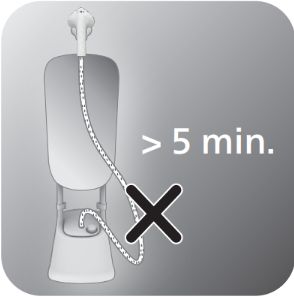
- The steam hose has been left/bent in a low position for a long time (≥5 minutes).
- Lift the steamer head to straighten the hose vertically. This allows pressure to be released inside the tank. Avoid steaming at a low position.
- After that, wait for about 20 seconds, the LED light will turn steady. Then steam will be emitted after about 10 seconds.
The product will switch off automatically after 10 minutes if the water tank is not refilled or the steam hose is not straightened.
Did the above help? If not, contact us for further assistance.