Philips Support

How do I descale the Cafissimo TUTTOCAFFÈ coffee maker?

Published on 24 June 2026

Find below a video and instructions on how to descale.

The descaling procedure consists of a descaling and rinsing cycle, and takes about 30 minutes to complete.

Use the original SAECO CA6700 descaling solution and never interrupt the descaling or rinsing cycles.

Play Pause

Steps 1-2

1) Switch the machine off by pressing the On/Off button.

2) Make sure that there is no capsule in the compartment and that the lever is in closed position.

Close the lever Saeco Caffissimo TUTTOCAFFE

Steps 3-6

3) Remove and empty the water tank, drip tray, waste water drawer and used capsule drawer.

4) Empty the complete SAECO CA6700 descaler solution (250 ml) into the water tank and fill it with fresh water up to the MAX level.

5) Put the water tank back in the machine.

6) Insert the waste water drawer and used capsule drawer in the machine, but not the drip tray and metal cup tray.

Insert waste water drawer Saeco Caffissimo TUTTOCAFFE

Steps 7-8

7) Place a bowl with a minimum capacity of 1 litre under the coffee spout to collect the descale solution.

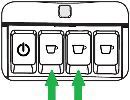
8) Press the (white) Espresso button and the (yellow) Caffè crema button simultaneously and
hold them until the (orange) service indicator is lit. (This can take up to 3 seconds.)

User interface Saeco Caffissimo TUTTOCAFFE

Steps 9-14

9) The machine will indicate that the descaling mode is activated when the (white) Espresso button is continuously lit.

10) Press the (white) espresso button to start the descaling cycle.

11) The machine dispenses the descaling solution at regular intervals via the coffee spout.
The (white) espresso button flashes throughout the descaling cycle.

12) Once the machine has dispensed all of the descaling solution the service indicator light (orange) flashes and the caffè
crema button (yellow) is continuously lit.

13) Remove and empty the bowl and waste water drawer. Reinsert the waste water drawer and put the bowl back under
the coffee spout.

14) Remove the water tank and rinse it under running tap water, then fill it up to the MAX level with fresh drinking water
and place the water tank back in the machine.

Note:
Make sure the water tank is filled up to the MAX indication otherwise you might need to repeat step 14 once more!
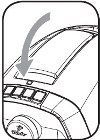
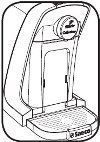
Steps 15-19

15) Press the (yellow) caffè crema button to start the rinsing cycle.
The machine will dispense the water from the coffee spout.
During this cycle the (yellow) caffè crema button will flash.

16) When the rinsing cycle has finished, all the buttons will flash a few times and the machine will turn off.

17) Remove the bowl and empty the water tank and waste water drawer.

18) Fill the water tank with fresh drinking water up to the MAX level and place the water tank, drip tray and cup tray back in the machine.

19) Now your machine is ready to brew coffee again.

Contact Philips

We are happy to help you

Contact Philips

We are happy to help you

Looking for something else?

Discover all Philips Support options

Subscribe to our newsletter

Exclusive member benefits & promotions

Receive the latest updates on events

Early access to events

Members-only promotions

*
I would like to receive promotional communications – based on my preferences and behaviour – about Philips products, services, events and promotions. I can easily unsubscribe at any time!

You are about to visit a Philips global content page

Continue

Our site can best be viewed with the latest version of Microsoft Edge, Google Chrome or Firefox.